Barcode Producer 26 brings dozens of new features
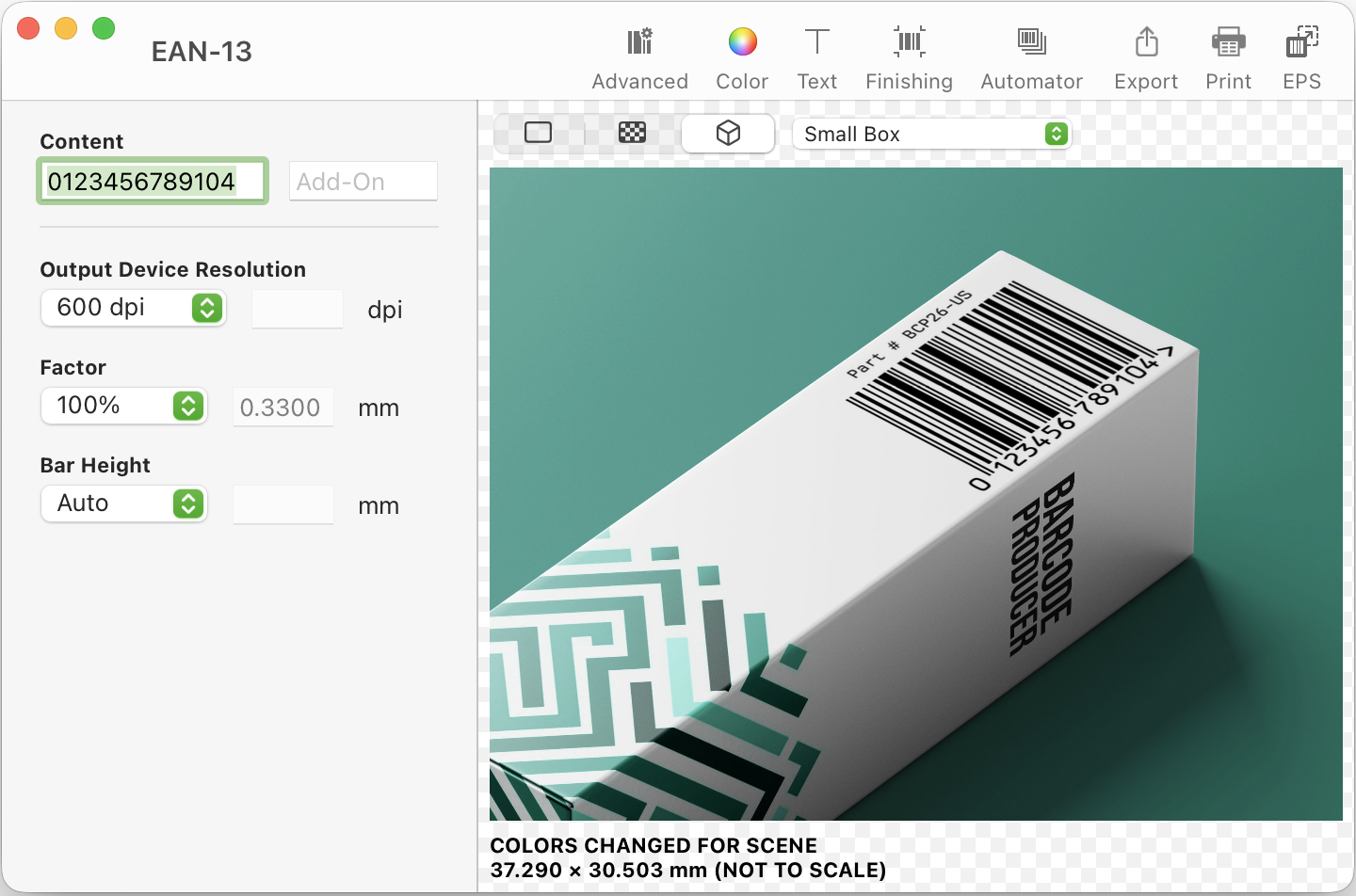
A ground-up modernization of Barcode Producer on Mac and Windows. The biggest new feature is Physical Preview. Enter your value and pick a scene, such as a book back, a retail carton, produce, medicine, or signage. You’ll see your barcode live on a real-world object at production-accurate scale, with your colors, text, and margins.
Version 26 has much more than Physical Preview. These are the biggest new features:
A rewritten Symbology Guide
Symbology Guide is completely new, with a modern tile-based layout, plain-language descriptions, richer previews, and improved search. It lists every symbology Barcode Producer makes, and it now includes Barcode Camera too.
Barcode Camera
Point your camera at a barcode and Barcode Producer reads it, right inside the Symbology Guide. Identify an unknown symbology, verify that a printed sample carries the value you expect, then recreate it as an editable barcode in a click. It’s the fastest way to turn a printed barcode into one you can edit.
New symbologies
Barcode Producer now makes Data Matrix for direct marking on electronics and pharma, and PDF417 for boarding passes, shipping documents, and IDs. The full GS1 DataBar family joins them for coupons and perishable produce. And QR Code, long a Mac feature, now generates on Windows too.
Send to Sketch, Figma, and Affinity
Send a barcode straight to Sketch, Figma, or Affinity with one click. Illustrator, Photoshop, and InDesign are one click away too.
A new Automator engine with merge fields
Run a spreadsheet through the rebuilt Automator, part of the Automator & Data Merge add-on, and pull product names, prices, SKUs, and lot numbers straight from your columns into any custom text slot. Automator is faster too, and it now imports TSV files.
PNG output, automatic kerning, and Apple Silicon
You can now save barcodes as PNG. A new font engine brings automatic PostScript kerning. On the Mac, Barcode Producer now runs natively on Apple Silicon. The interface is modernized too, with full Dark mode and new Checkerboard preview backgrounds.
- A modernized interface throughout – new toolbars, button and list styling, and a new app icon at home on the latest macOS.
- Customizable finishing-border color, plus more control over custom text objects.
- Updated GS1 Application Identifier metadata with comprehensive format validation; ISSN now supports 5-digit add-ons.
- Hold Option while saving to drop a barcode straight to the desktop. macOS gains a standard Window menu and improved PDF support.
- Larger, higher-quality previews, with a 20× speed-up in scene rendering on macOS.
- Magazine preview scenes now appear for the ISSN symbology.
- Clearer Account & Software Activation window, with in-app screenshots updated for the new view-mode controls.
- Improved Data Matrix GS1 element-string validation.
- Better barcode reports, and broad performance improvements.
- macOS now prioritizes ps2pdf over pstopdf for PDF output.
- Windows: removed an unnecessary restart from the installer.
- Under the hood: compiler-optimized for speed, refreshed APIs and frameworks, and over a thousand internal improvements.
- GS1 element-string human-readable text now reflects changes to the value.
- Restored reordering of element strings for GS1-128 and DataBar Expanded / Expanded Stacked.
- Fixed the initial format selection in the GS1-128 Coupon (Obsolete) editor.
- The View menu now reflects the currently selected view mode.
- EPS: bars are now properly closed and joined before filling.
- EPS: added Title, LanguageLevel, and EOF DSC fields, with metadata updated to DSC v3 and setpagesize removed.
- Windows: fixed the software-update framework.
- Windows: improved text display in the welcome dialog.