Quotes & Invoices
If your business needs a formal invoice or quotation to order Barcode Producer, we’re happy to assist you. There are two options:
Create your own Barcode Producer quote or invoice#
- Visit our order page
- Choose the Barcode Producer license(s) you need.
- Click Quote / Invoice, then Continue.
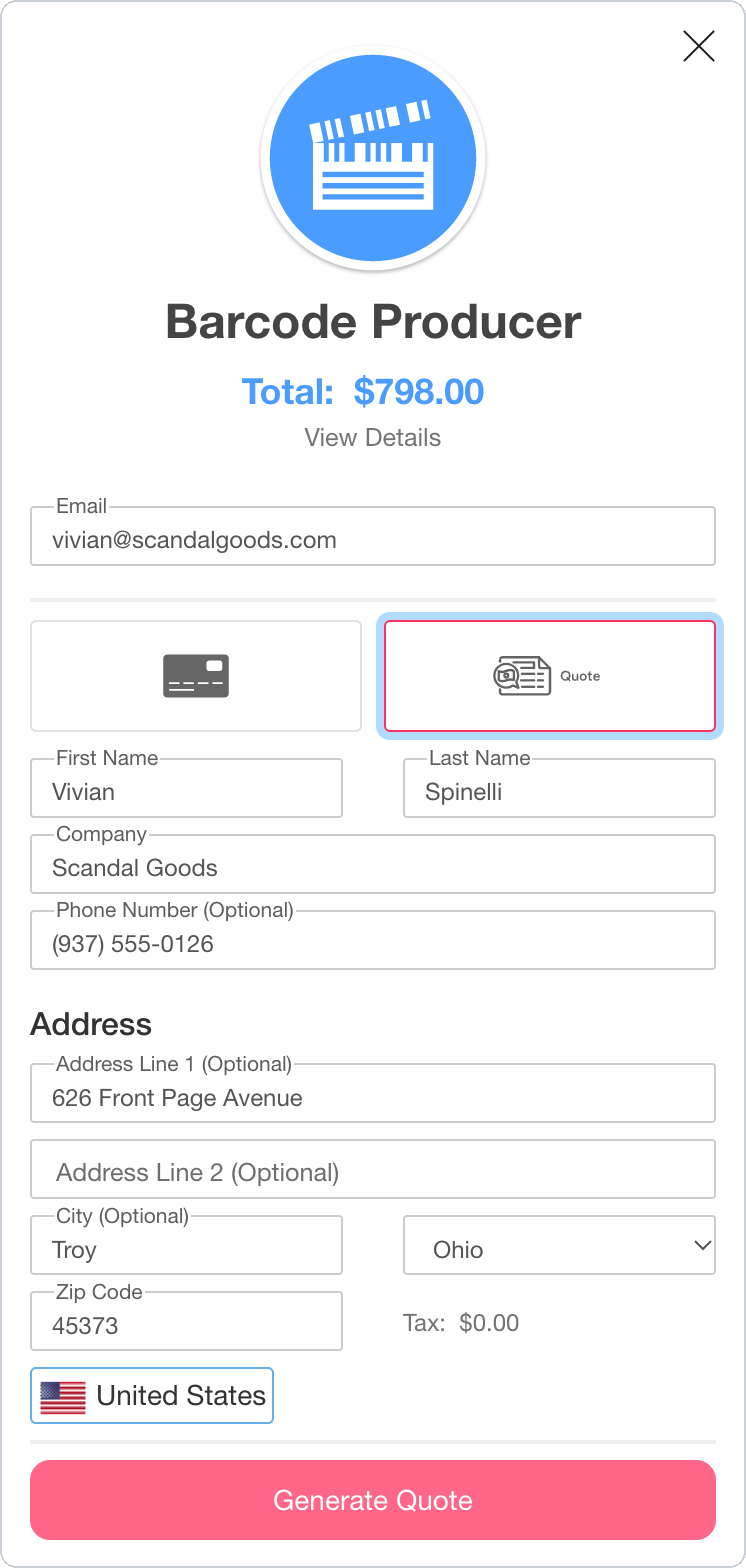
- At checkout, select the Quote option and enter your company’s information.
- If you’re in a country with VAT and you have a business / VAT ID, enter it at checkout. Your quote will omit VAT.
- Click Generate Quote.
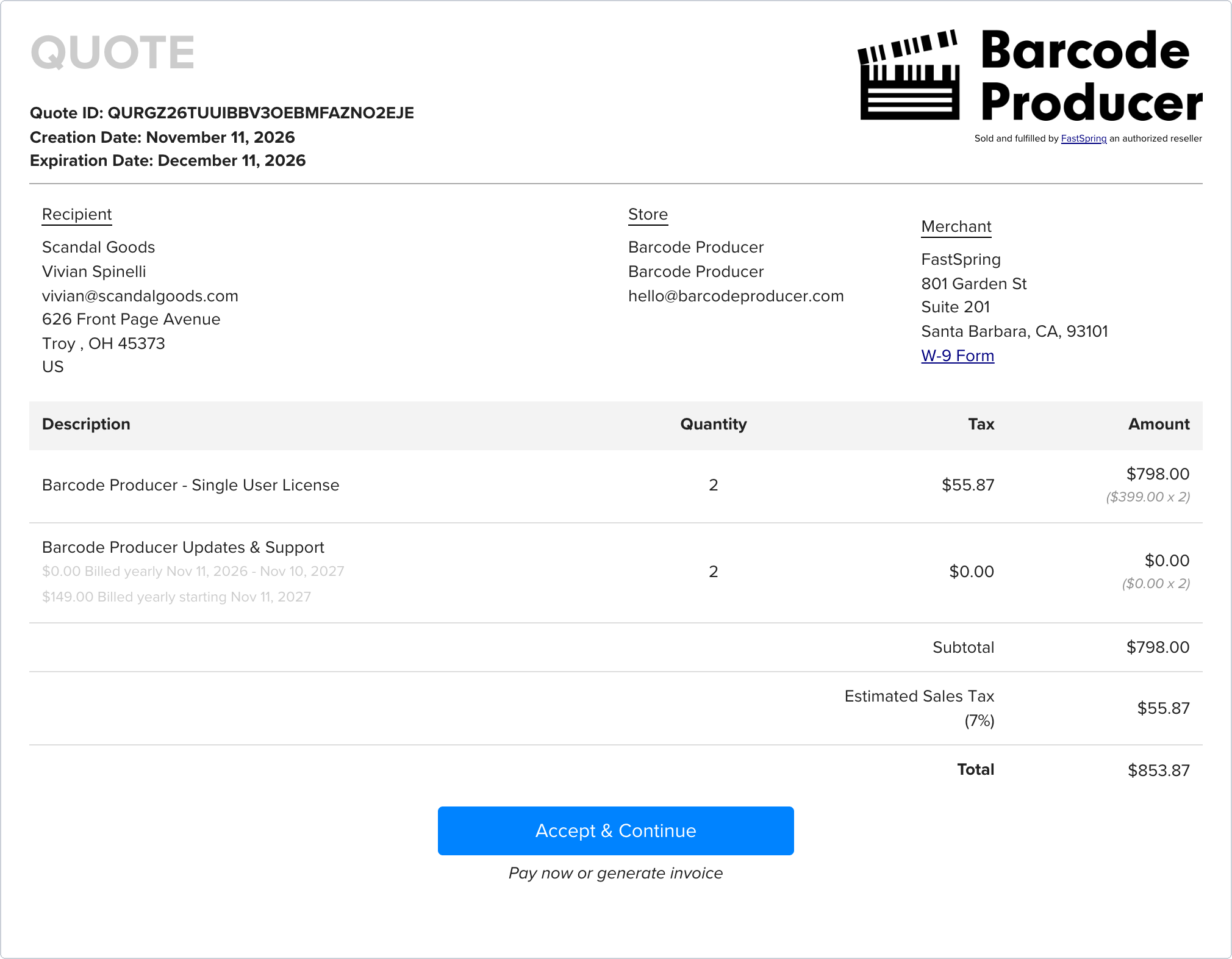
Your quote will be created with all of the relevant details – this URL is shareable, and can be given to a purchasing manager or administrator. Your quote shows the date it expires. To save your quote as a PDF, click the download button at the top right corner. A quote is the same thing as a proforma invoice.
If you want to change your order before purchasing, just create another quote.
Turn your quote into an invoice#
- On your quote, click Accept & Continue.
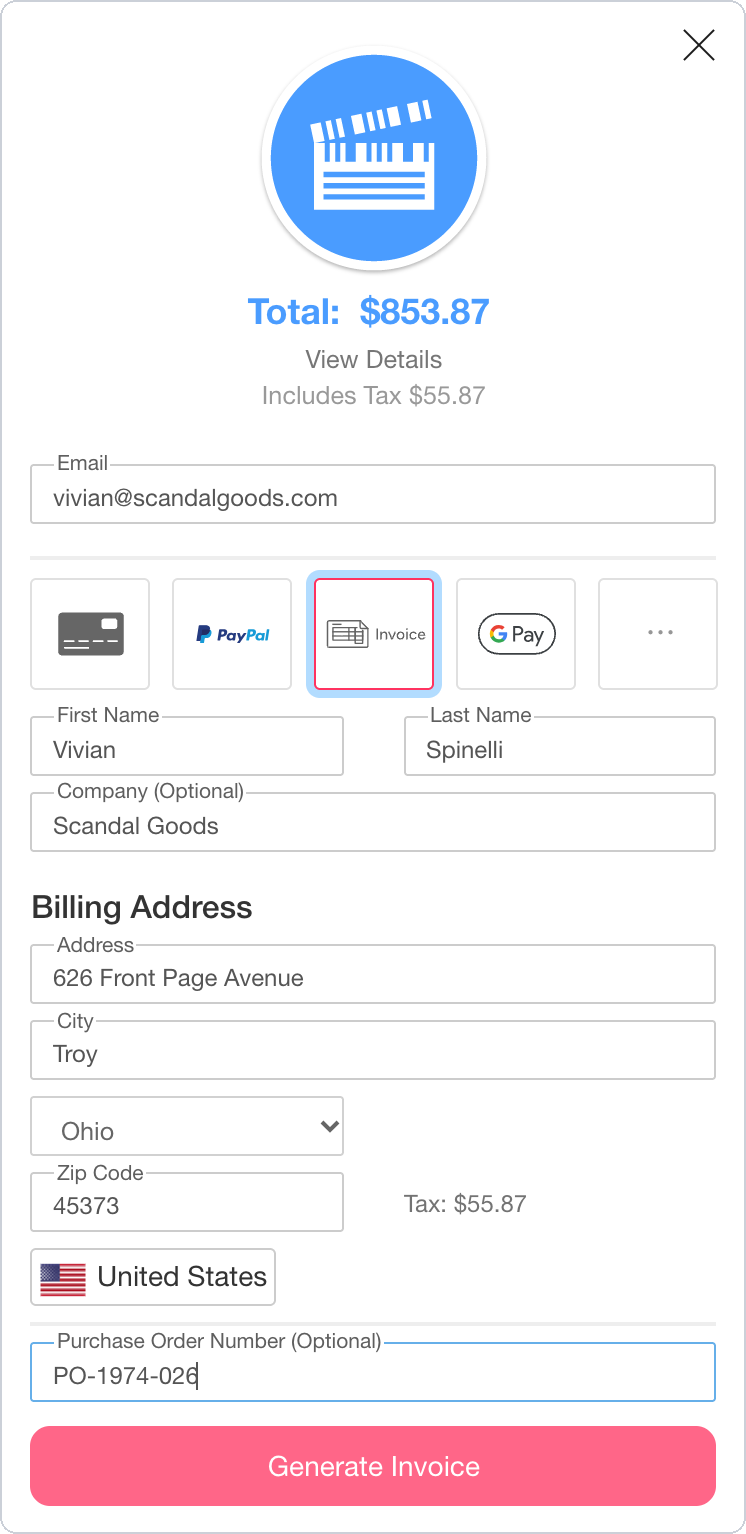
- Select Invoice. The button below changes to Generate Invoice.
- Check the billing address, and enter your purchase order number if you have one.
- Click Generate Invoice.
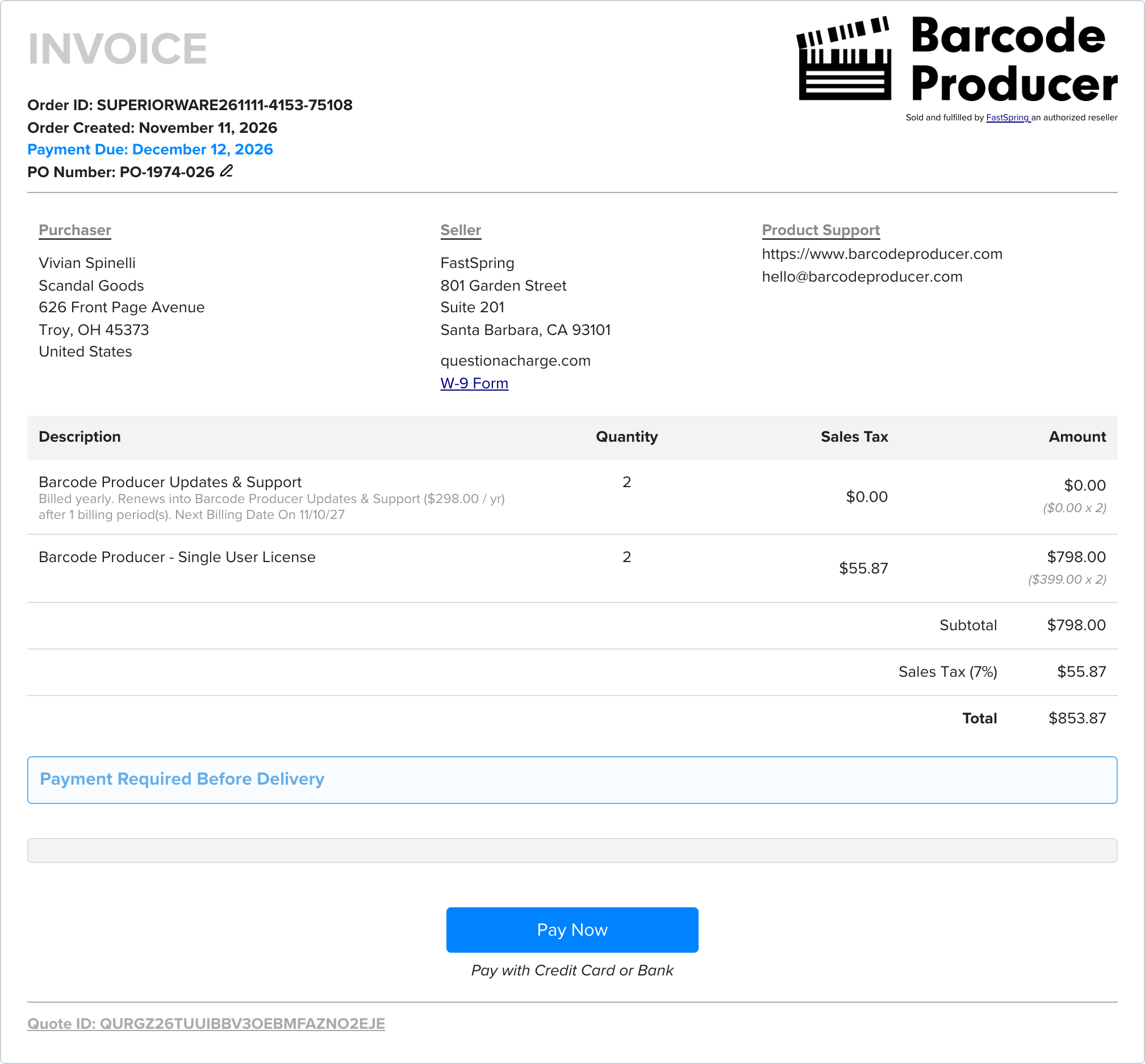
Your invoice will be created with all of the relevant details. Click View Invoice for your invoice – this URL is shareable, and can be given to a purchasing manager or administrator. When your company is ready to pay the invoice, use the Pay Now button at the bottom for a variety of payment options. A wire transfer is also available on invoices of $750 or more.
Ask us to create an invoice for you#
If you’d like us to create an invoice for you, please email us at hello@barcodeproducer.com and let us know:
- That you’d like an invoice
- What you’d like to order (items, quantity, type of license)
- Company name
- Contact name and email address
- Your city, postal code (if applicable), and country (we’ll invoice in your currency if we can)
- Your VAT ID or tax ID, if you’d like it on the invoice
- Any purchase order number you’d like to appear on the invoice (optional)
We’ll email you back with a link to your invoice.
Note that paying by invoice means that you won’t receive instant delivery, because you are not paying right away – once FastSpring has received and processed your payment, you’ll get an email to set up your account. This can take time – if you need Barcode Producer right away, use an instant payment method like a credit card, PayPal, etc. instead.
Can we use a purchase order?#
Yes – you can put your purchase order number on your invoice. You can do this with either option:
- Create your own invoice and add your PO number to it. Enter it in Purchase Order Number when you generate the invoice, or add it afterward with Add PO Number at the top of the invoice. We recommend creating your own invoice, because you can enter your details exactly the way you want to see them. You can also make as many quotes and invoices as you need.
- Ask us to create the invoice. Email us your purchase order along with the details we need, and we’ll send you an invoice with your PO number on it.
Paying your invoice#
Payment is required before delivery. Click Pay Now on your invoice and choose how to pay:
- Credit card. This is the quick and easy way to buy Barcode Producer. Delivery is immediate, and it’s the payment method we prefer.
- Wire Transfer. Available on invoices of $750 USD (or equivalent) or more. A wire transfer can take up to a week to process. Barcode Producer is delivered after your wire transfer has been processed.
Please send the invoice link to the person who will pay the invoice. The Pay Now button is on that page, and the link is secure and shareable.
Paying by wire transfer#
- On your invoice, click Pay Now.
- Select Wire Transfer. If you don’t see it, click the … tile for more payment options.
- Check your details, then click the Pay button.
FastSpring shows the bank transfer instructions for your order: the account holder (Bright Market, LLC dba FastSpring), the bank, the account details, and a payment reference. FastSpring also adds these instructions to your invoice, where the Pay Now button was.
Please use the wire transfer instructions on your own invoice. They are specific to your order, and FastSpring decides which bank details to show for your country and currency, so we can’t provide them in advance. Your wire transfer must include the payment reference shown with the instructions.
Wire transfer is available in USD, EUR, GBP, CAD, AUD, JPY, and CHF. If your quote is in another currency, you won’t see the Wire Transfer option. Email us and we’ll prepare a quote in one of these currencies.
Once you choose Wire Transfer, your invoice can no longer be paid by credit card. If you decide later to pay by card, just create another quote. If your bank needs a bank letter,
Once FastSpring receives your transfer, they’ll process it in 3–5 business days.
If a week has passed and you haven’t received your setup email, FastSpring can trace the transfer. You’ll need a document from your bank that shows the payment. FastSpring’s wire payments page explains what the document must include. Please email us as well, so we can make sure your account is set up as soon as the payment is found.
When do we get Barcode Producer?#
As soon as your payment completes, you’ll get an email titled “Barcode Producer: Create your account” with a link to set up your account. This email is sent to the email address on your quote. If that address belongs to someone in purchasing, they can use the setup page to assign the account to the person who’ll use Barcode Producer.
Does our purchase renew automatically?#
Every license includes the first year of the
If you pay by wire transfer, FastSpring has no card on file and can’t charge the renewal automatically. FastSpring will email you a payment request when the renewal is due.
If your organization can’t accept a renewing item on its quote, clear Always keep me up-to-date before you click Quote / Invoice. Your license still includes the first year of updates and support. Barcode Producer keeps working after that year ends.
Tax on your quote#
Your quote shows the tax FastSpring expects to charge for your location.
- VAT or GST. Choose your country at the top right of the checkout window, then enter your organization’s tax ID. If your country allows this, your quote will omit the tax.
How to enter a VAT ID - US sales tax. There isn’t a way to get a quotation without sales tax – however, you can receive a refund back for sales tax if you’re tax exempt.
How to claim a US tax exemption
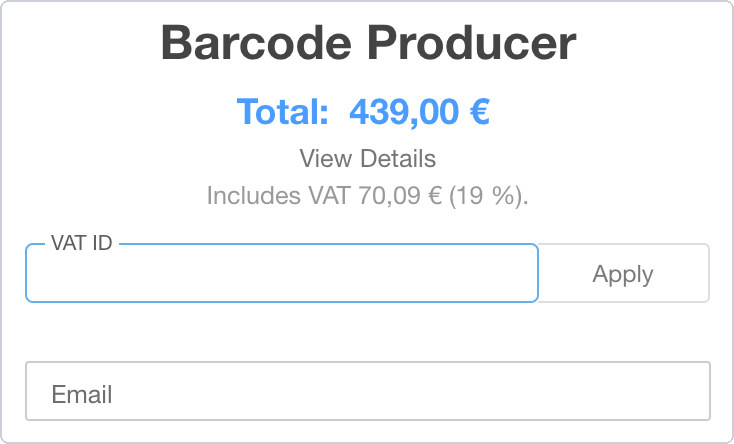
Enter your VAT ID in the field below the total before you click Generate Quote:
Need a change to your invoice?#
Before you’ve paid, just create another quote with the correct details, and turn it into a new invoice. This works for any change, such as a company name, an address, or the way you’d like to pay. You don’t need to do anything with the first invoice, because an unpaid invoice expires on its own. You can add a purchase order number yourself with Add PO Number at the top of the invoice (even after it’s paid).
After you’ve paid, only FastSpring can correct your invoice, because FastSpring issued it.
For a copy of an invoice you’ve already paid, use the “view invoice” link on your email receipt, or
Buying for a customer as a reseller#
We offer a purchase discount to software resellers. Email us at hello@barcodeproducer.com and we’ll send you a reseller order link.
Place the order with your own details. When your payment completes, use the setup page to